
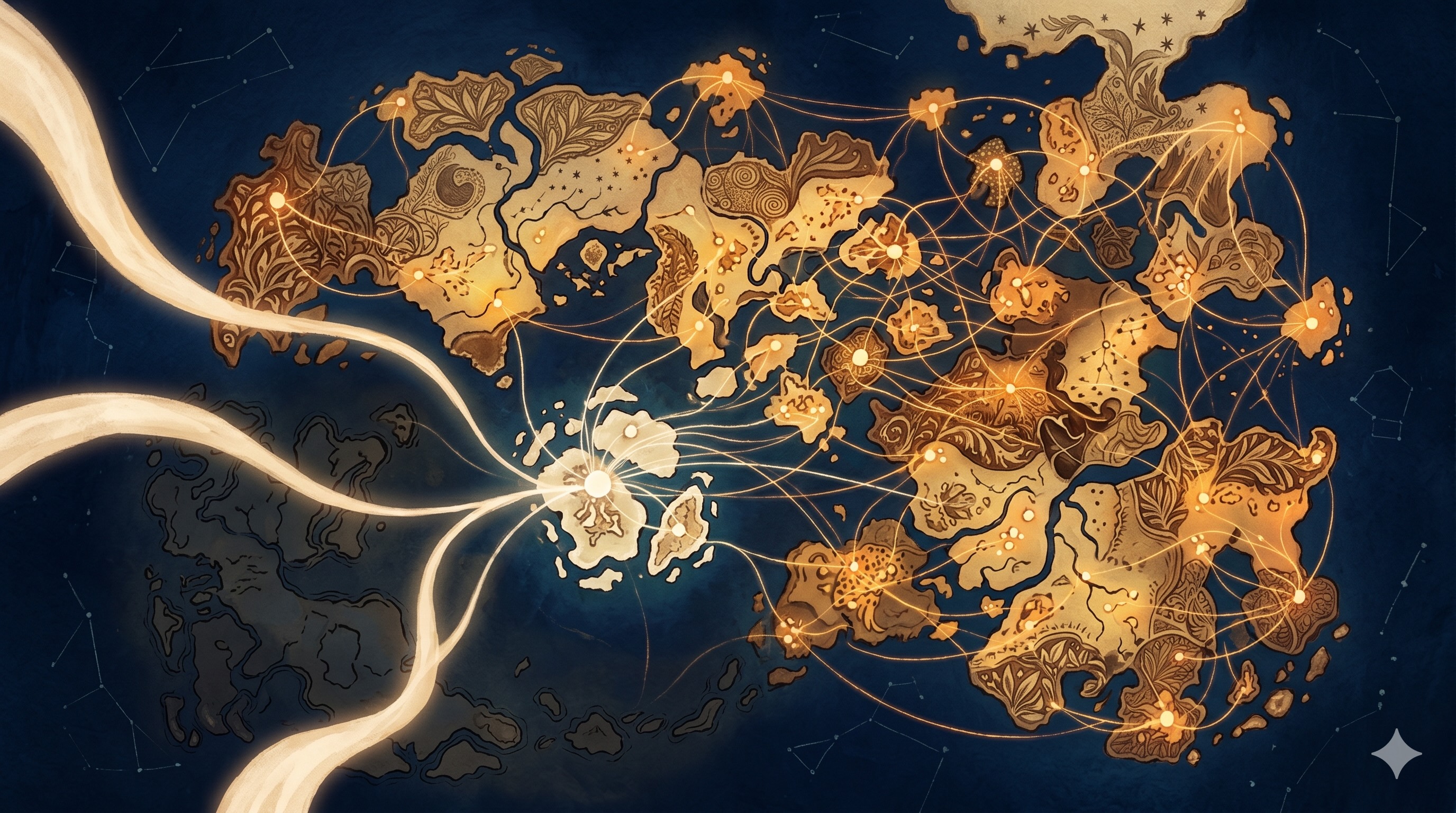
ENGRAM already remembered my articles and my code sessions. The last missing piece was the work I do with assistants outside ENGRAM. With this release, that piece lands too — and the Mind is, finally, whole.
A mind that only remembers part of your thinking is not really a mind — it’s a notebook with selective amnesia. When I started building ENGRAM Knowledge Hub, the goal was a single place where my research lived. Iain M. Banks readers will recognize the ambition (which is lower-cased and personal-scale) from the Minds at the heart of his Culture novels, who remember everything by design and by the purpose they serve in the Culture civilization. First ENGRAM learned to remember articles I wrote. Then it learned to remember the Claude Code sessions where the actual engineering happened. But one large continent was still missing from the map: the conversations I have with AI assistants outside ENGRAM such as Claude AI (and its desktop sibling, Claude Desktop), ChatGPT, or Google Gemini. With this release, those conversations leave a trace too. The Mind is whole in the only sense that matters: there are no more places where my thinking goes to disappear.
What’s new
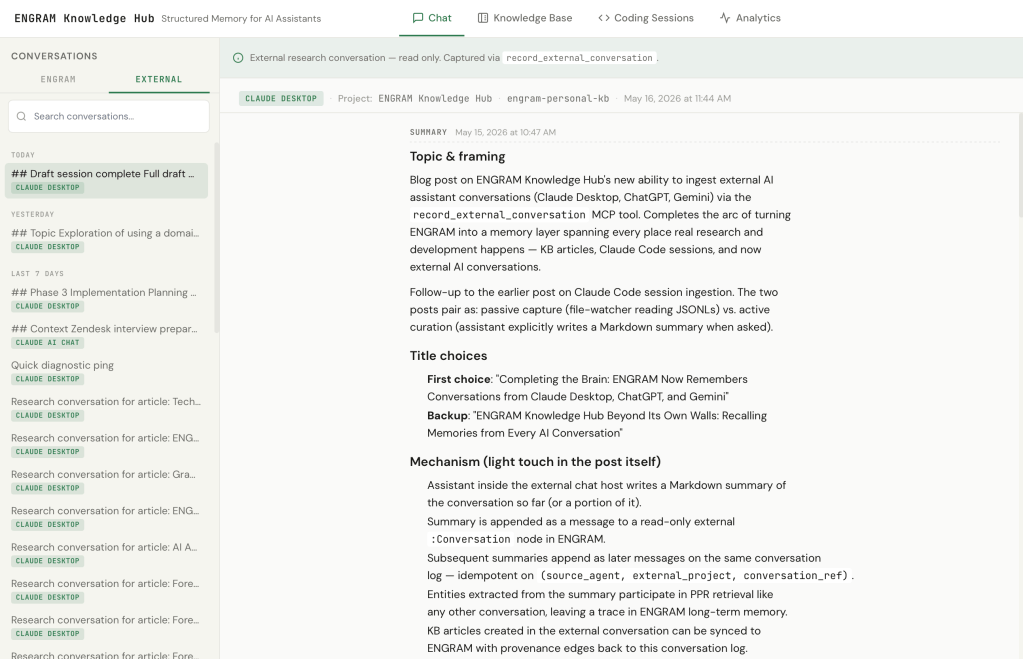
A new MCP tool, record_external_conversation, lets any AI assistant in any chat host write a Markdown summary of our conversation into ENGRAM. The summary is appended as a message to a read-only external conversation in my knowledge graph. As the research evolves across hours or days, depending on how the conversation unfolds, I can ask the AI assistant for another summary, and it appends as the next message on the same conversation log. Each summary is a snapshot of what we’ve established so far.
In the ENGRAM Chat sidebar, these external conversations live under a dedicated External tab next to the usual ENGRAM Chat list. They group by recency the same way internal ones do.
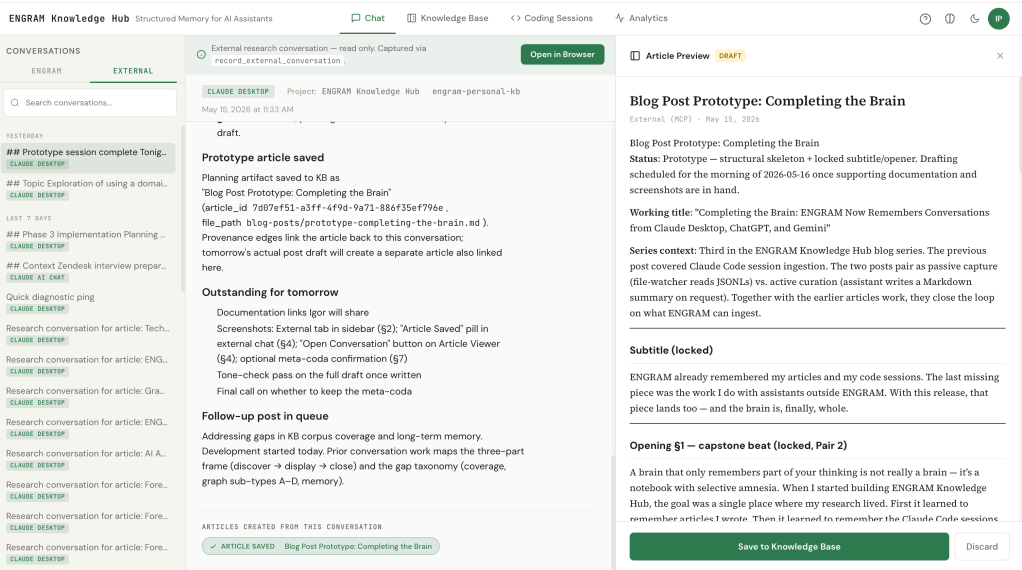
Articles drafted inside an external conversation, including one about the post you’re reading, can be saved to ENGRAM’s knowledge base with provenance edges pointing back to the conversation that produced them.
A reading room, and elsewhere
ENGRAM Knowledge Hub became my reading room. It’s where I sit when I want to follow a thread across projects, jump from one article to a related one, and pull scattered notes into something coherent. But it isn’t always where thinking about a new project starts. A lot of that happens in conversations with AI assistants outside ENGRAM (in my case, Claude AI, ChatGPT, or Gemini) when I’m exploring something fresh and don’t yet know what shape it should take. Articles I draft in those conversations always come home. But the conversations themselves were ephemeral by design: useful in the moment, gone when the tab closed. With this release, they leave a trace too. The thinking I do in Claude AI this morning is available to Claude Code this afternoon — not because the assistants share memory automatically, but because I do.
The curator model
The design choice that makes this work is that ENGRAM doesn’t ingest transcripts. It ingests summaries which are written by the AI assistant in the conversation, on request from me.
This matters for two reasons. The obvious one is privacy: I’m not transferring a verbatim chat log out of one product and into another. The summary is what the assistant decides is worth remembering, with my input on scope (the whole conversation so far, or just the last part, or a specific thread within it). The less obvious reason is signal quality. An assistant participating in a research conversation knows what’s load-bearing in it i.e., which decisions were made, which tradeoffs surfaced, which questions remain open. That curated layer is far more useful as memory than a raw transcript would be.
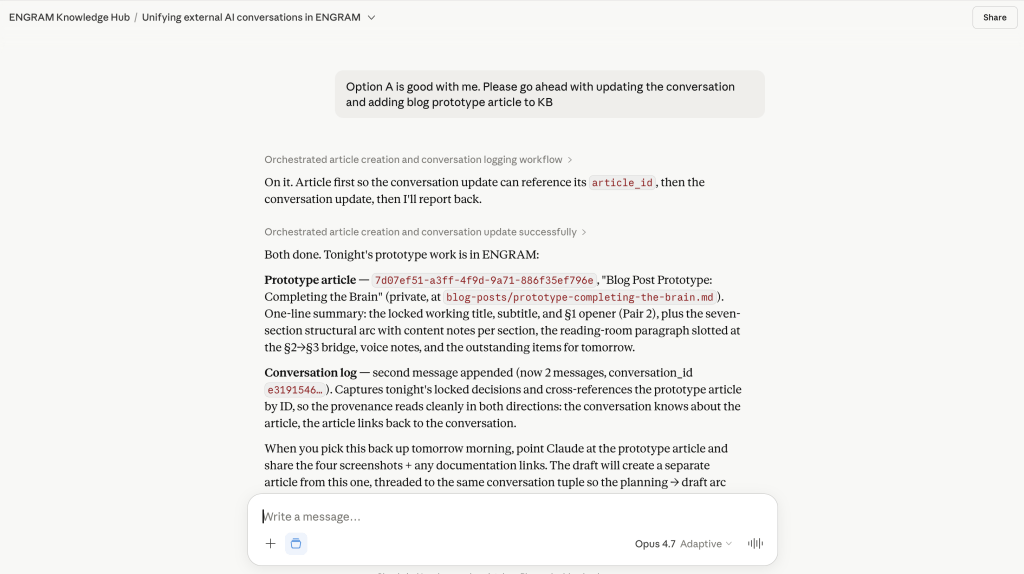
record_external_conversation call and its responseWorth contrasting with the previous post in this series. Claude Code’s session ingestion is passive at the transport layer: Claude Code writes JSONL transcripts as part of its own normal operation, and an ENGRAM file-watcher picks them up off disk. The session summary that lands in my graph is generated automatically; nothing in Claude Code’s loop has to know that ENGRAM exists for the capture to work. In fact, it does know as Claude Code is an MCP-aware participant during the coding session, and I routinely ask it to read design articles from my ENGRAM KB or create new ones. But that active participation is layered on top of a passive capture floor that handles the transcript-into-memory problem on its own.
To my knowledge, other AI chat hosts don’t expose anything like Claude Code’s JSONL files. No transcript on disk; nothing for a file-watcher to read. The only way for a conversation in Claude AI, ChatGPT, or Gemini to leave a trace is for the assistant inside to actively curate one, which is what record_external_conversation does. Two ingestion paths, one PPR-retrievable knowledge graph; entities extracted from a Markdown summary participate in retrieval the same way entities from a passively captured session do.
Articles inherit their research
Provenance is the payoff. When I draft a KB article inside an external conversation by asking the assistant to use ENGRAM’s create_article or sync_article MCP tools the saved article carries an edge back to the conversation log that produced it. So months from now, when ENGRAM Chat surfaces that article in retrieval, the trail back to the original research stays intact.
The round-trip is visible in the UI. In the external conversation view, an “Article Saved” pill appears below the relevant turn, the same UX as in the internal Chat. Click it to preview the article in a slide-in panel. On the Article Viewer side, a new “Open Conversation” button takes me back to the source conversation, whether internal Chat or external. For external conversations, “Open Conversation” launches the conversation in the host application in a new browser tab – literally returning me to the moment of research.
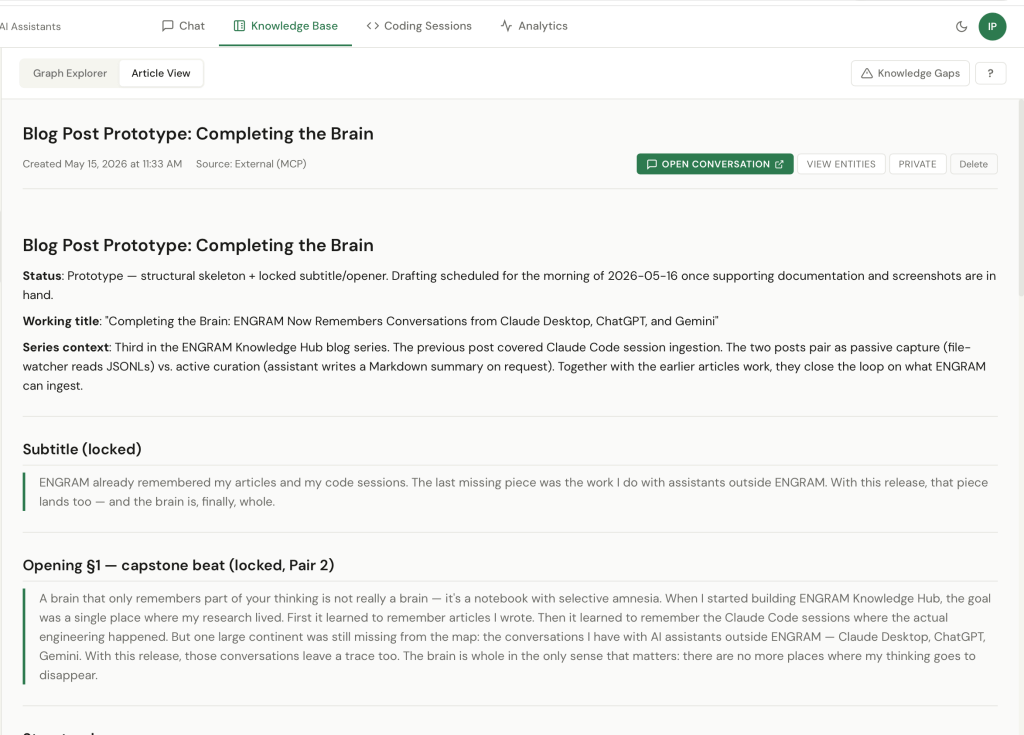
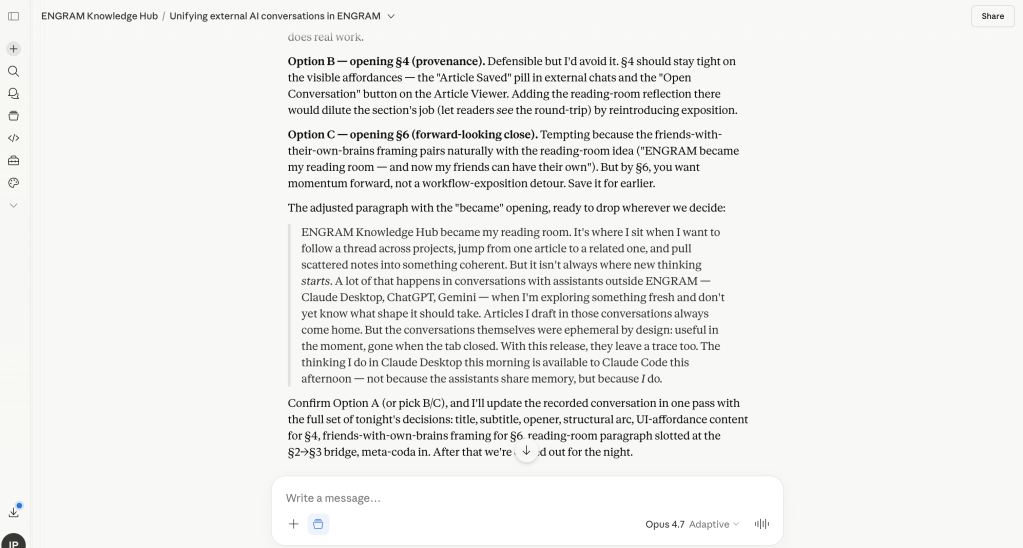
This isn’t just bookkeeping. It’s what lets ENGRAM be a research memory rather than just an article store – every piece of saved work points back to the thinking that produced it, and the thinking points forward to what came out of it.
The infrastructure underneath
None of this works on a single laptop with a localhost-only stack. Two pieces of boring infra had to land first.
The first was migrating ENGRAM Knowledge Hub from ad-hoc Docker containers to a proper Docker Compose stack, with all seven services and four data backends under one orchestrated lifecycle. A Caddy reverse proxy fronts the whole thing and serves both the frontend UI and the MCP HTTP transport at the same origin.
The second was Tailscale. The Docker Compose runs on a single host, but it is exposed as a device on the tailnet with a Tailscale sidecar terminating HTTPS at the tailnet boundary, so every machine I own (and every friend I invite onto my tailnet) can reach the same https://engram-kb.<tailnet>.ts.net. Same URL serves the frontend, the REST API, and the MCP HTTP transport. The MCP clients in Claude Desktop, Claude Code, Claude Cowork, or any other compatible host point at that URL with a user Personal Access Token. As a result, all twelve ENGRAM MCP tools, including record_external_conversation become available wherever I’m working from.
It’s the kind of work that doesn’t make for a good blog post on its own. But it’s the prerequisite for everything in this one.
What this opens up
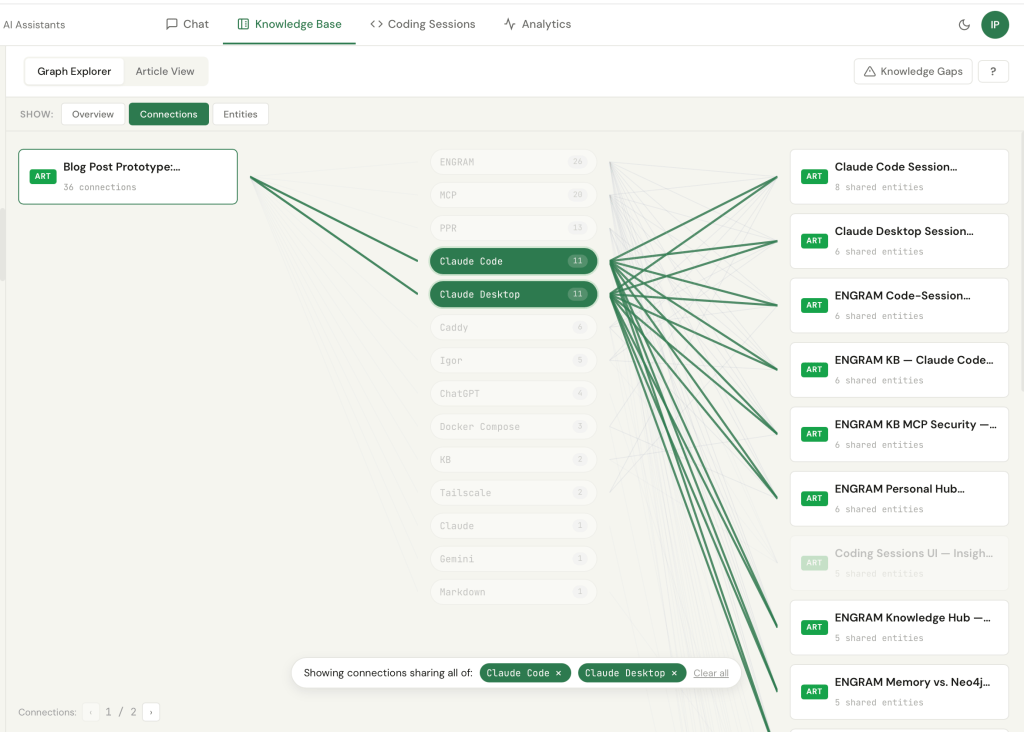
A practical consequence I hadn’t fully anticipated: each ENGRAM article saved from an external conversation joins my existing knowledge graph through shared entities. The post you’re reading right now, drafted in a Claude AI conversation, is already a neighbor to a dozen prior articles such as Claude Code session write-ups, infrastructure notes, or prior blog drafts through entities like Claude Code, RAG, Neo4j, GraphRAG, Claude Desktop, MCP, Tailscale, PPR. The mind doesn’t just grow; it knits itself together.
The other thing this opens up is for friends. ENGRAM is a multi-user system. Each tailnet member runs their own ENGRAM account on the shared infrastructure, with their own private conversations, memories, code sessions, and external-conversation summaries. Memory is private; the sharing primitive is opt-in article publication. When a friend marks an article public, it becomes visible and PPR-retrievable for everyone else’s queries, but neither friend’s memories cross the boundary. Shared infrastructure, private minds, opt-in shared knowledge. When a friend publishes a thoughtful comparison of vector databases, my chat can quietly get smarter through their work without either of us giving up the privacy of how we got there.
The next obvious question, of course, is: now that ENGRAM sees so much of the work, where are the gaps? Topics with mentions but no articles. Communities that should connect but don’t. Memories that never get recalled. That will be the subject of my next blog post.
For the broader background on the system this builds on:
- Claude Code and ENGRAM Knowledge Hub: recalling the good memories together – the Claude Code sessions ingestion into the knowledge graph
- ENGRAM Knowledge Hub: A Personal Knowledge Graph That Grows With Your Research – the system tour: articles, the three graph views, MCP integration, audit trail.
A small meta-moment
This post was drafted inside a Claude Desktop conversation. The conversation itself was recorded into ENGRAM with record_external_conversation. The draft was then saved as a KB article with create_article, carrying a provenance edge back to that conversation. When this article surfaces in future ENGRAM Chat queries and it will, the trail back to this morning’s thinking will still be intact.
The Mind, after all, is whole.


4 Comments