
ENGRAM learned to remember my articles, my Claude Code sessions, and the research conversations I have with assistants elsewhere. But a memory that holds a lot of things can still have blind spots – topics it never wrote down, islands of knowledge that never connected, memories it never recalled. This release teaches ENGRAM to notice those blind spots, and to help me close them.
I ended the previous post in this series with a question. Now that ENGRAM sees so much of my thinking — the articles, the code sessions, the conversations from Claude Desktop, ChatGPT, and Gemini — where are the knowledge gaps? Conversations about technology, products, or other topics that interested me but never produced an article. Topics in ENGRAM knowledge base topic map that should connect but currently don’t. Long-term memories that got created but never recalled.
This post is the answer.
A healthy mind is not just one that memorizes a lot. It is one that has some sense of its own shape i.e., what it knows well, what it knows thinly, and what it has quietly forgotten it ever cared about. For most of its life ENGRAM could only do the first part: remember. With this release it gains the second: a standing read on its own condition, and a way to act on it. I have started calling that surface what it actually is – Knowledge Health.
What’s new
The panel that used to be called “Knowledge Gaps” has grown up. It is now Knowledge Health, with three tabs: Gaps, Proposals, and Vitals.
The rename matters because “gaps” only ever described a third of what was there. Gaps are the symptoms of the things that are missing or broken. Vitals are the signs of health i.e., what I’ve covered, how deeply, and how active the knowledge base has been lately. Proposals is the part in between: fixes waiting for me to approve them. Diagnose, measure, treat. Once I saw the panel that way, the old name felt like a thermometer that only knew how to report a fever.
Three kinds of gap
The hardest thing about a knowledge base is that its failures are invisible. I ask ENGRAM Chat about something I’m sure I’ve researched, get nothing useful back, and have no way to know why. Does the article not exist? Does it exist but sit unreachable? Or does it exist and simply never come back when I need it? Gap Analysis turns each of those silent failures into something I can see and act on. The gaps are sorted into three baskets based on their kind:
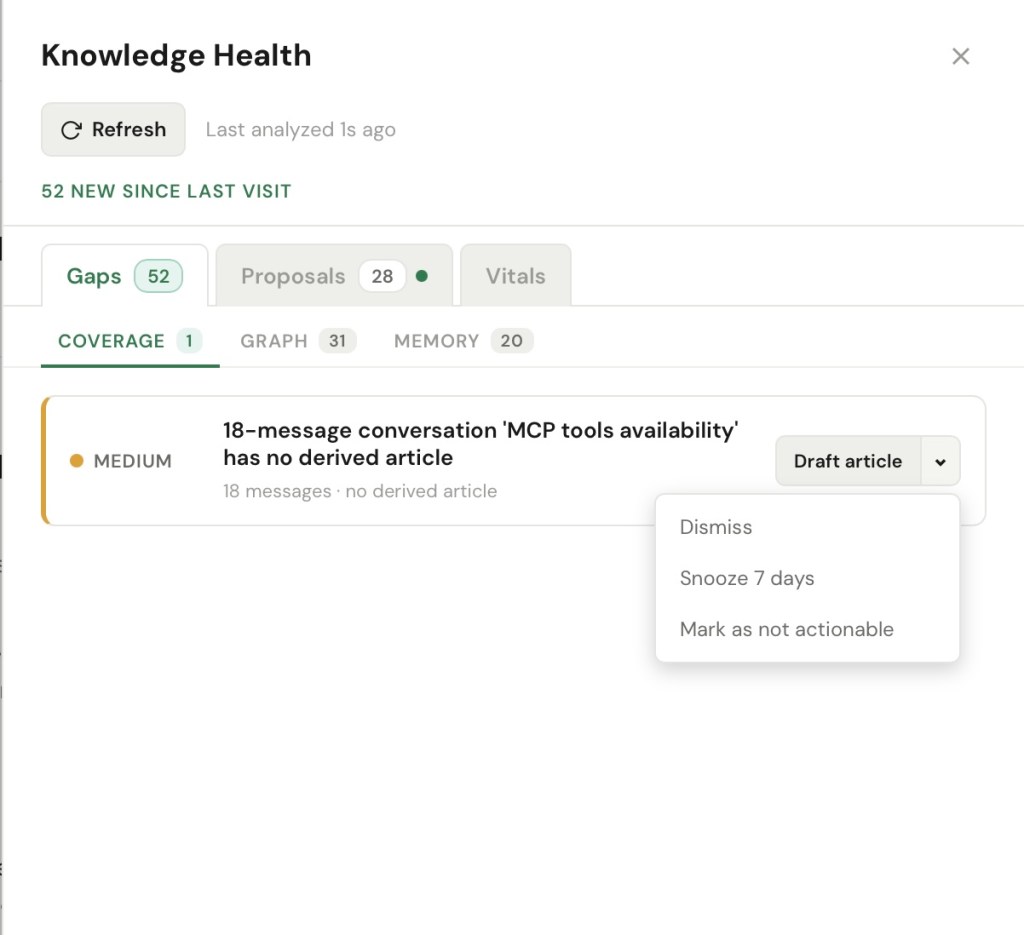
Coverage gaps are the simplest: the article doesn’t exist in KB. These are topics I keep returning to in conversations and memories but never actually wrote down. ENGRAM spots them when an entity shows up again and again with no article behind it (e.g., “you’ve touched CSV ingestion in four memories and there’s no article on it”) or when a long, substantive conversation never produced a single saved write-up. The cost is quiet but real: the knowledge isn’t gone, it’s just scattered across mentions instead of consolidated anywhere, so every time I need it I am re-synthesizing it from fragments instead of reading it back. The thinking happened; it just never got captured where I could reuse it.
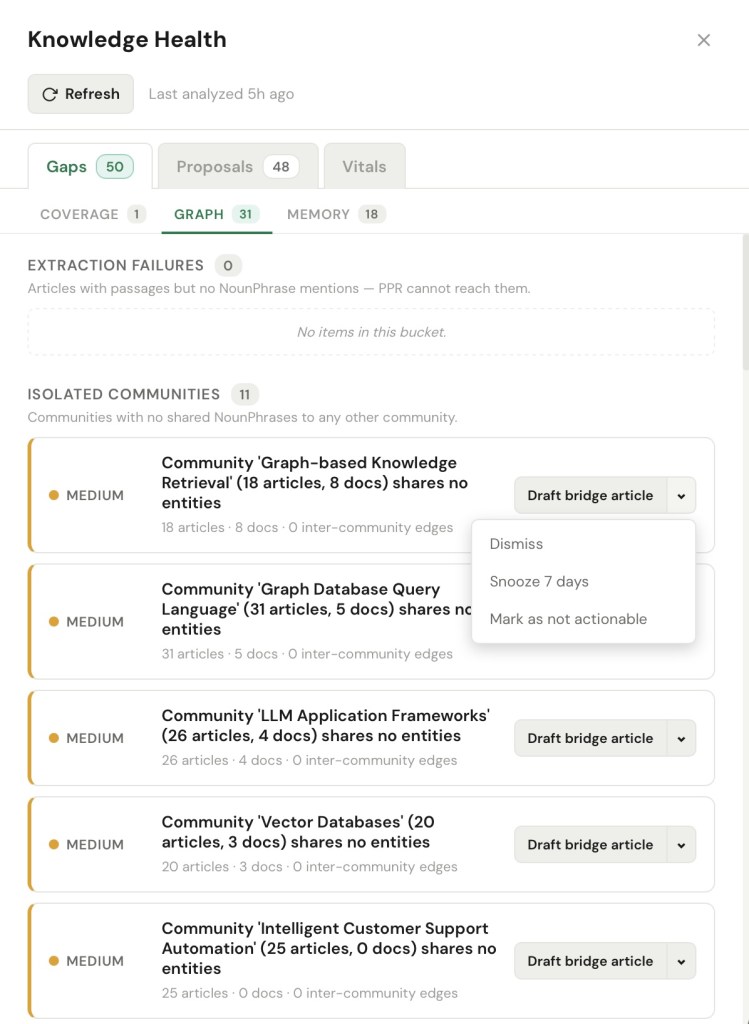
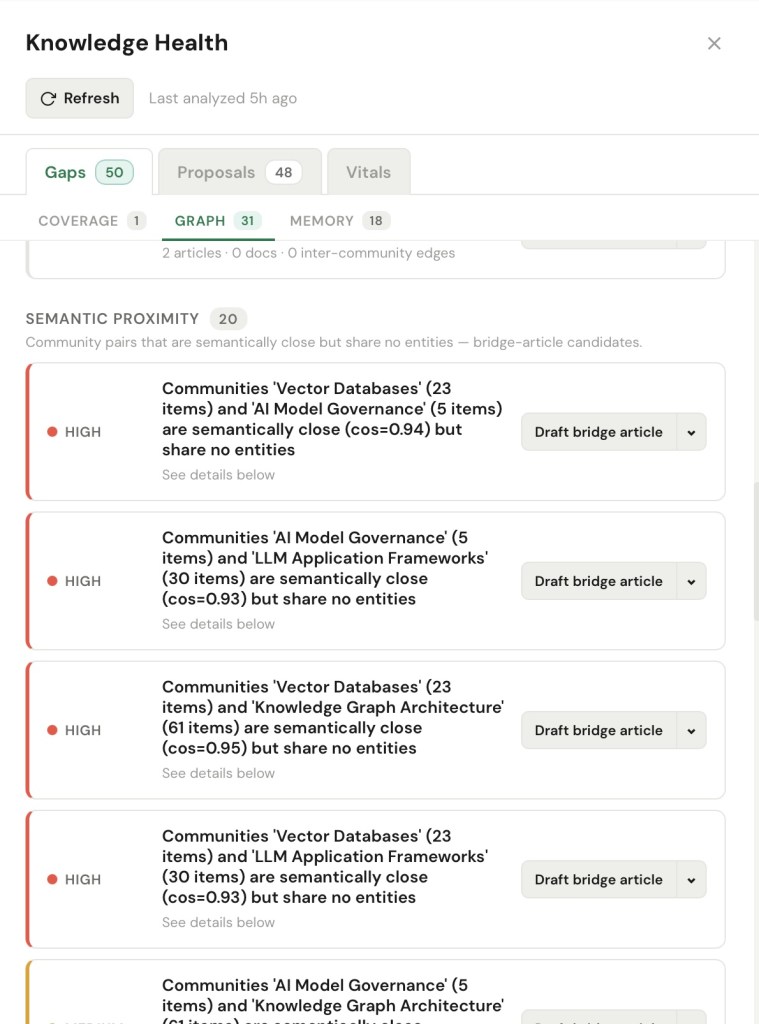
Graph gaps are subtler, and to me the most interesting: the article exists, but it sits unreachable. ENGRAM organizes my knowledge into topics (graph communities) — clusters of articles and documents that talk about the same things — and a graph gap is an island: a cluster with no connection to the rest of the map. I might have eighteen articles on graph-based retrieval and nineteen on LLM application frameworks, and the system can tell the two clusters never share a single concept, even though anyone reading both would see they’re the same problem from two angles. Here’s why that matters: an island is not broken, so nothing warns me about it. Each cluster is perfectly retrievable on its own – which means when I query one side, ENGRAM hands me a confident, complete-looking answer that quietly leaves out the other half. That is the most dangerous kind of miss, because I never see what I didn’t get. (This bucket also catches the genuinely broken cases such as an article the retrieval engine cannot reach at all because nothing was ever extracted from it.)
Memory gaps are about recall, not coverage i.e., the article exists, but the system just fails to bring it back. Three ways that happens. A long, dense conversation can consolidate into almost nothing, so the research and thinking I did in it is technically saved but effectively lost, and I’ll end up redoing it. An important memory can sit in the graph for weeks and never once surface when it was relevant — its own kind of forgetting, because stored isn’t the same as remembered, and a memory that never gets recalled can’t change a single answer. Plus, different phrasings of the same idea such as PPR and Personalized PageRank, K8s and Kubernetes, can be treated as strangers, splitting what should be one strong signal into two weak ones, so a concept that I lean on constantly quietly under-surfaces right when I need it.
From noticing to fixing
A list of problems is just anxiety. The point of Knowledge Health is that every gap carries a single concrete next step, wired to something real such as draft an article, bridge two communities, merge two names for the same thing, re-run the extraction, or simply dismiss it, this one’s fine.
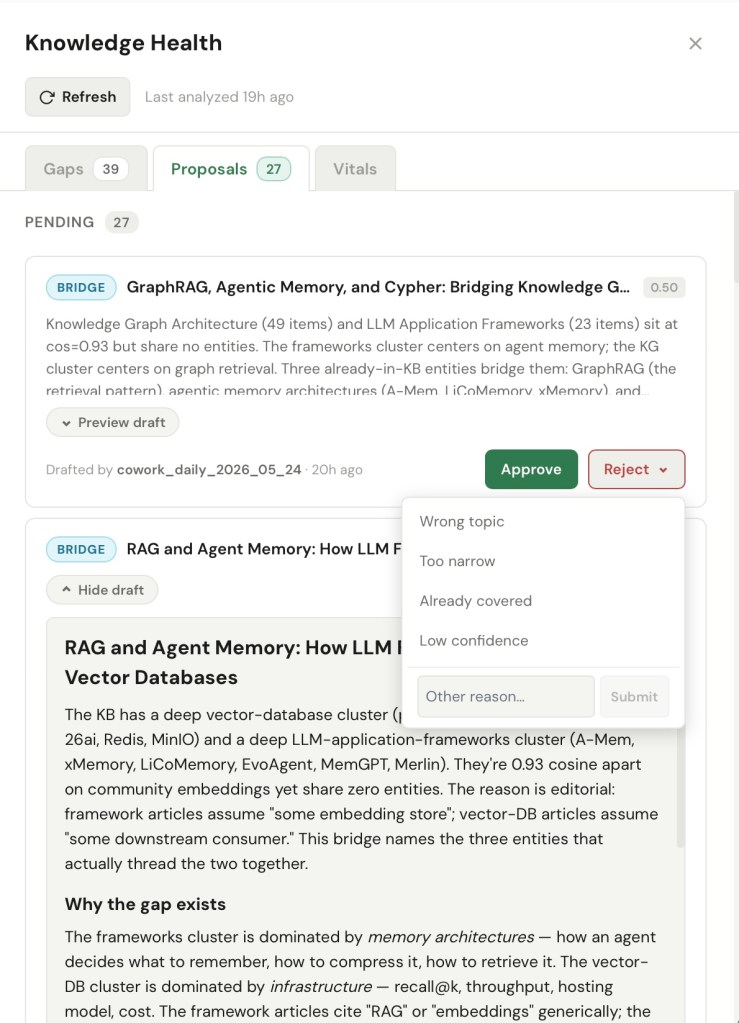
But I didn’t want a system that quietly rewrites my knowledge base on my behalf. So closures don’t just happen. They go through a small lifecycle: something drafts a proposed fix, the proposal lands in my Proposals tab, and nothing touches the knowledge base until I approve it. I am always the reviewer and approver. A proposed bridge article shows me exactly what it would say and which two clusters it would connect before I let it in.
This is the same instinct as the curator model from the last post. There, ENGRAM ingested summaries I had reviewed rather than raw transcripts. Here, it proposes closures I approve rather than applying them silently. In both cases the machine does the legwork and I keep the editorial judgment. After all, a memory I didn’t curate isn’t really mine.
A standing health check
Here’s where it gets genuinely useful. Detecting gaps and drafting closures is exactly the kind of patient, repetitive work I will never remember to do by hand. So I handed it to an agent.
ENGRAM exposes gap detection and closure article drafting as the MCP tools with the same Personal Access Token through the same MCP server as was described in my previous posts about the Knowledge Hub. That means an autonomous agent can drive it. I run Claude Cowork on a daily schedule against my knowledge base: it asks ENGRAM what gaps it has found, picks the ones worth closing, and drafts the fixes. Most often these are bridge articles that connect two clusters by naming the concepts they genuinely share. Each draft is posted as a proposal, stamped with the run that produced it, and dropped into the list on my Proposals tab.
What I get, then, is a quiet daily round of housekeeping I never have to initiate. I open ENGRAM, find a handful of drafted bridge articles or alias suggestions waiting in my Proposals inbox e.g., “GraphRAG: Where Vector Databases Meet Knowledge Graphs” – candidate for Approve or “Oracle Database 23ai ↔ Oracle Database 26ai” – candidate for Reject. So that I can approve the good ones or reject incorrect proposals with a click. The agent does the noticing, the writing, and remembering what was approved or rejected; I do the review and deciding. Crucially, Claude Cowork never approves its own work. The autonomous loop stops, every single time, at my judgment.
Vitals
The other half of health is the part that is not about problems at all. The Vitals tab (which long-time readers will recognize as the old “Coverage & Depth” panel, now properly named and substantially rebuilt) is where I go to see the shape of what I do know.
It opens with a one-line pulse — a running tally of what landed this week: new articles, documents, code sessions, and memories consolidated — so I can tell at a glance whether the knowledge base is actively growing or has gone quiet. Below that:
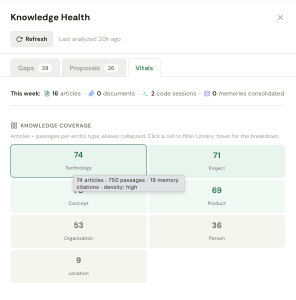
- A coverage map breaks my knowledge down by kind of thing such as Technology, Project, Concept, Product, Organization, Person, or Location and, importantly, now measures knowledge kind depth, not just count. Ten articles that each say a sentence is not the same as ten articles that go deep, and the map finally knows the difference. I can click on a Technology or Project tile to see a list of articles in the library filtered by selected kind.
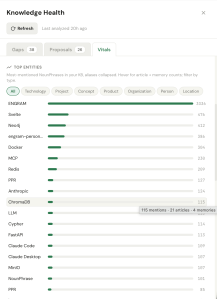
- A top entities view shows what my knowledge actually orbits around (unsurprisingly, ENGRAM itself, then Svelte, Neo4j, Docker, MCP…), with the aliases collapsed so one idea counts as one idea. By default All entities are displayed, but I can filter them by knowledge type – Technology or Concept using filter pills.
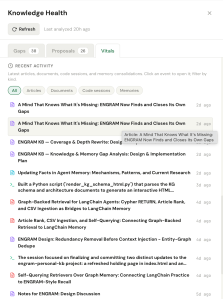
- And a recent activity feed lets me drop back into anything I touched lately. A stale or empty feed here is itself a vital sign: it’s how I’d notice that ingestion had silently stopped. Clicking on an article or documents displays the selected item in the Viewer; selected code session is opened on the Coding Sessions page.
Why “health”
I went back and forth on the name. “Coverage & Depth” described one tab. “Knowledge Gaps” described another. Neither described the whole, and the panel had quietly become a place I went to tend the knowledge base, not just inspect one corner of it. “Health” was the only word that held all three pieces at once — gaps as symptoms, vitals as signs, proposals as treatment — and that implied something ongoing rather than a one-time audit. Which is right: there is a scheduler keeping the diagnosis fresh in the background, and a Claude Cowork run keeping the treatments flowing, whether or not I’m looking.
What this opens up
There’s a nice recursion in all of this. The system that remembers my research now also notices where that research is thin, drafts the missing pieces, and connects the islands — and the connecting is the part I value most. A bridge does not just fill a hole; it turns two isolated clusters into something I can finally retrieve as one. The mind does not just grow and knit itself, as I put it last time. Now it also examines itself, and asks for help where it’s frayed.
And, as ever, this was its own small proof. This post was drafted in a conversation with an assistant, recorded into ENGRAM, and saved as an article with a provenance edge back to that conversation. Somewhere in my Gaps tab, a few weeks from now, there will probably be a note that I keep mentioning “knowledge health” and haven’t written enough about it. I expect Claude Cowork will offer to fix that before I get around to it.
What’s next
There is one kind of blind spot this release doesn’t touch, and it is the one that worries me most. Not the fact I never wrote down, or the one I can’t reach, but the one I wrote down carefully, and that has quietly gone out of date since. A memory that’s confidently wrong is more dangerous than one that’s missing: the missing one I might go looking for, but the stale one I would simply trust.
ENGRAM already retires an old article when a newer version supersedes it. What it cannot yet do is the same thing one level down, at the level of individual facts — notice when fresh research contradicts something it already believes, retire the old claim, and surface the new one, all without throwing away the record of what it used to think. That’s belief revision, and it is a genuinely harder problem than remembering, or even than noticing gaps: the system has to detect the contradiction, decide which claim wins, and keep the history honest. It is also where this series goes next. The plan is to teach ENGRAM’s long-term memory not just to grow, knit, and examine itself, but also to change its mind when the world does.
For the background this builds on:
- When Graphs Remember Better Than Summaries – How hippocampal-inspired memory consolidation and Personalized PageRank give AI assistants structured recall across conversations and documents
- ENGRAM Knowledge Hub: A Personal Knowledge Graph That Grows With Your Research – Most LLM tools forget what you taught them last week. ENGRAM Knowledge Hub turns your conversations, documents, and research into a personal knowledge graph with recall by relevance, not recency
- Claude Code and ENGRAM Knowledge Hub: recalling the good memories together – Long-term memory across research, planning, and the iterative work of building
- Completing the Mind: ENGRAM Now Remembers Conversations from Claude Desktop, ChatGPT, and Gemini – ENGRAM already remembered my articles and my code sessions. The last missing piece was the work I do with assistants outside ENGRAM. With this release, that piece lands too — and the Mind is, finally, whole


3 Comments